
The workspace that recovers construction retention
Recover retention not released at practical completion or at the end of the defects period, for subcontractors and main contractors
Join the Workspaces launch list
The Retention recovery workspace launches with Workspaces, Quantsurv’s software for quantity surveying and claims. We will email you once, when it opens.
Already have access? Sign in

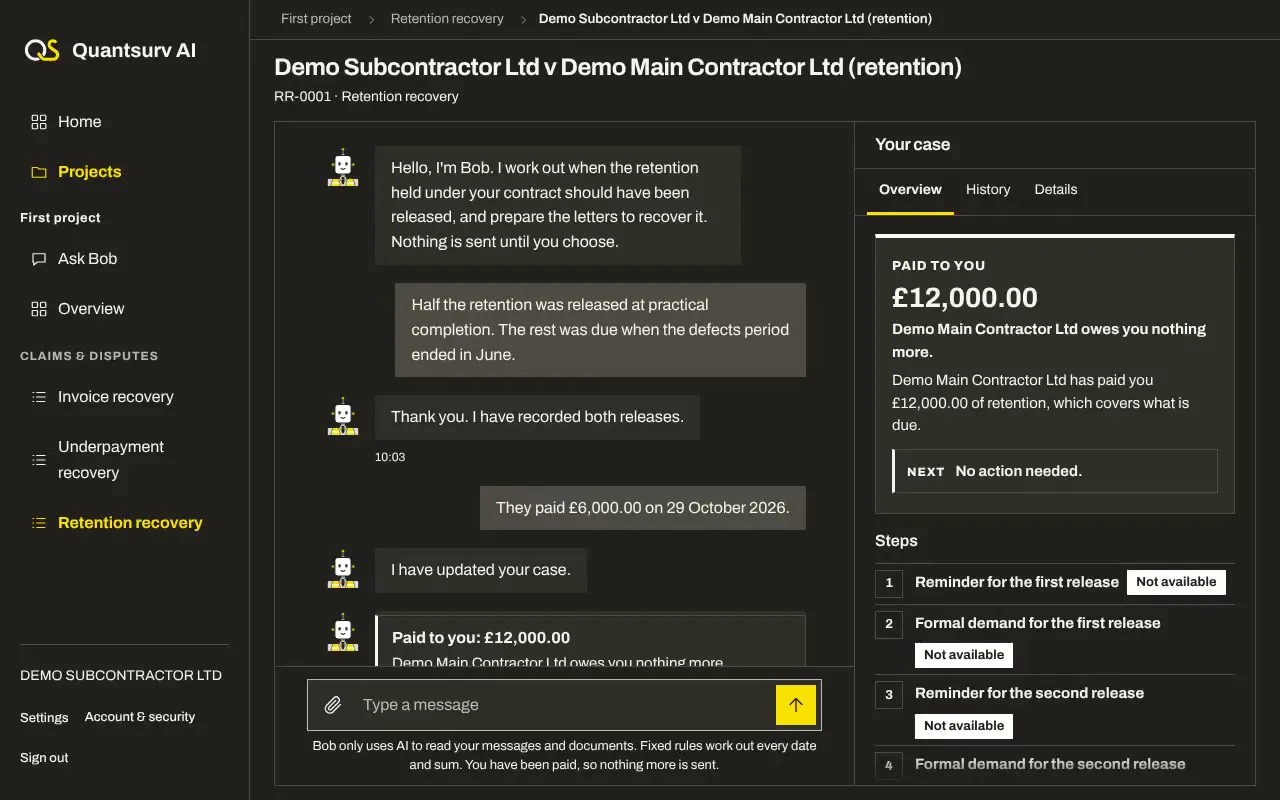
Bob in Retention recovery
Bob is an AI agent, not a person. We built him to help you recover the money that you're owed for your construction work.
In Retention recovery he does the work: he works out when each release is due under payment law, sends each notice and letter you approve, and reads every reply
Retention recovery is for you if
- You are a subcontractor or main contractor
- You are owed money for construction work in England and Wales
- Your business is a limited company, LLP, sole trader or partnership, and is not insolvent
- The sum is not yet in dispute

What Bob chases and what he sends
Retention recovery
For retention not released when it fell due
| Use Bob when |
|
|---|---|
| What Bob works out |
|
| What Bob needs from you | Your contract’s retention terms, the practical completion date, the defects period and any release application you made |
| When Bob hands the case to Quantsurv | Release tied to the main contract, retention kept for defects, possible insolvency, or a release more than six years old |
The letters Bob sends
Step 01
Payee’s notice in default
Only where needed
Section 110B
Step 02
Reminder
7 days to pay
Step 03
Formal demand
7 days to pay
Step 04
Adjudication
Bob asks you first
Control and security
Every step Bob takes follows rules you can see
| Your approval | You check every fact Bob reads from your document, and choose what he sends. He emails you at each step. |
|---|---|
| Pause Bob | Choose Pause Bob on any case, or Pause everywhere, and no more letters go until you choose Resume Bob |
| Letters in your name | Letters go in your business’s name, from your details, so the payer deals with you. Each carries a short case reference, so a reply finds the right case. |
| Payee side only | Bob works for the party being paid, on every contract where money is owed to you |
| Quantsurv’s check | A Quantsurv QS checks every formal letter, and every letter from a new account, within 1 working day. Once Quantsurv trusts your account, reminders can go without the check. |
| How Bob uses AI | Rules decide. Bob reads. His AI reads your documents and their replies and asks you about the facts; fixed rules work out what you are owed, which letter is due and when it goes. Letters and replies use fixed wording. |
| Fair to the payer | Letters go only between 9:00 and 16:30 on working days, and Quantsurv’s own rule allows no more than one letter in 7 days to the same address, apart from statutory notices and replies. A complaint, made by replying to any letter, puts all letters to that address on hold until a person has looked into it. |
| Your data and record | Your cases are private to your account and to Quantsurv, and Bob’s AI provider, Anthropic, may process your documents outside the UK. Every letter, reply, decision and payment is kept with its date and who made it, linked so a later change can be found, for six years after a case closes. Bob’s section of our privacy notice will be published before sign-up opens. Privacy notice |
Bob, a QS or doing it yourself
What each option does for you
With Bob | Hiring a QS | Doing it yourself | |
|---|---|---|---|
| Chases what you are owed | Yes | Yes | Yes |
| Notice dates and sums worked out for you | Yes | Yes | No |
| Letters prepared and sent for you, in order | Yes | Yes | No |
| Formal letters checked by a QS before they go | Yes | Yes | No |
| A full record kept for you | Yes | Yes | No |
| A QS ready if they dispute it | Yes | Yes | No |
| A live view of every case and what comes next | Yes | No | No |
What Bob does not do
- Give legal advice. Quantsurv is not a firm of solicitors
- Decide disputes or part payments
- Go to court. Court work goes to Quantsurv or a solicitor
- Promise you will be paid
- Send texts or WhatsApp messages
Questions about Retention recovery
What if they dispute it?
Bob sends nothing more and hands the case to Quantsurv, whose QS tells you the options
What happens when they reply?
If they say they have paid, Bob asks you before counting it. After a promise to pay, Bob waits until that date. Anything unclear goes to Quantsurv.
When should retention be released?
Usually half at each release, but your contract decides the shares and the dates
What if I have no written contract?
Tell Bob you are not sure of the payment terms. Where a contract does not set them, the Scheme for Construction Contracts applies. Quantsurv checks those cases before Bob chases.
How quickly does the first letter go?
Upload as soon as a payment is late. Quantsurv opens new accounts within 1 working day, and the first letter goes once Quantsurv has checked it.
Does Bob connect to my accounting software?
Yes, to Xero: Bob reads each payment himself, so you need not confirm it. QuickBooks, Sage and FreeAgent are not connected yet.
Can Bob check a document without starting a case?
Yes. Choose Check a document: Bob reads one document and tells you what is due under it, and by when. He sends nothing.
Can Bob take on every payment under one contract?
Not yet. Projects are coming next: one contract where you are paid, with each recovery workspace you have running on it. Until then, start a case for each payment.