

Build every claim in the same order
Claim context, then cause, effect, entitlement and substantiation, each with its records, working notes and review
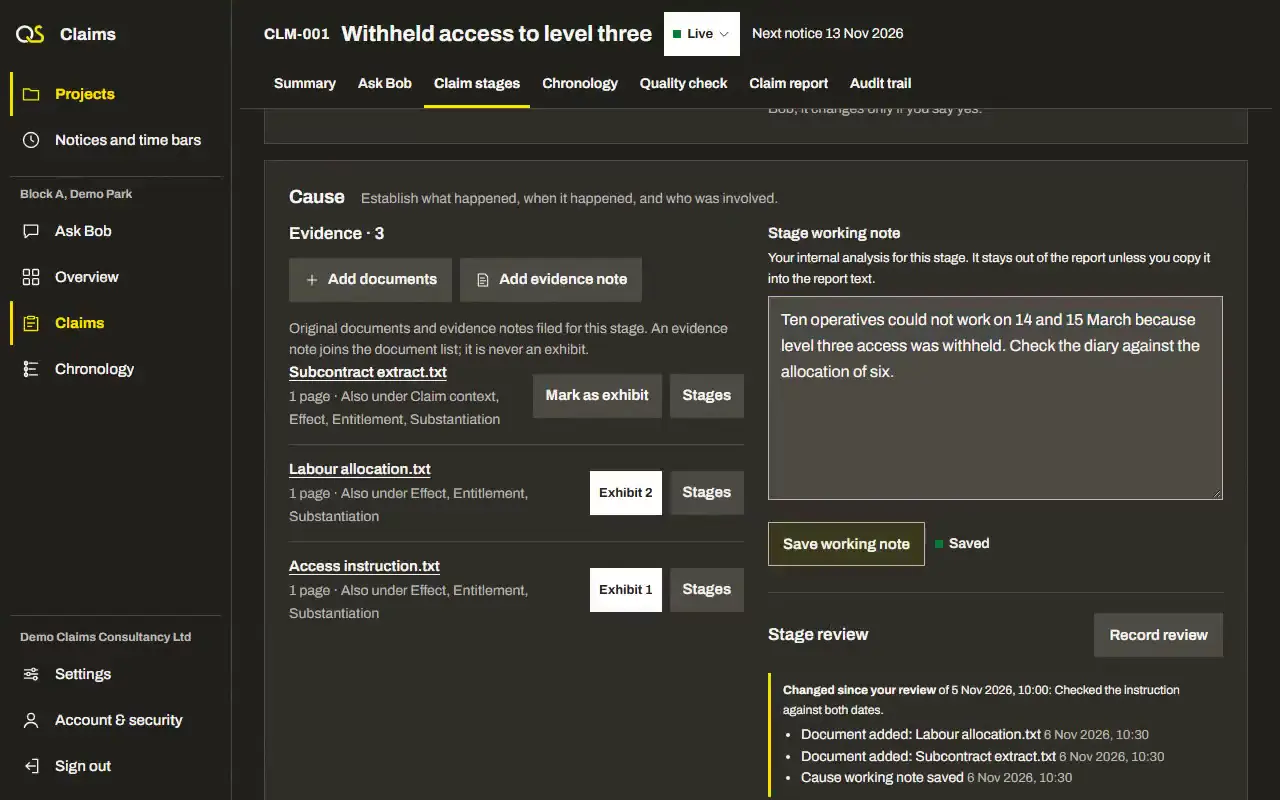
What Claim stages hold
The parts of a claim, in the order a reader needs them
Claim context
Keep the parties, relief sought and case being made together, alongside the client and project context
The four stages
Cause, effect, entitlement and substantiation, with a document able to support more than one stage
Bob’s filing
Bob can add a document to stages and fill empty filing details. His additions stay marked as his until you confirm them.
Working notes
Keep your working notes beside the evidence, separately from the report text
Reviews
Record your review of each stage. A change reopens the affected stage and shows what changed.
Information requests
Record what is missing, why it matters and who may hold it, then copy or download a draft request to send yourself

Questions about claim stages
Can Bob fill in a stage?
He proposes text with sources for you to approve into a working note or report section
Which claims can I build?
Variations, extensions of time, loss and expense and the other types in the claim list, including combined claims
Does the client email go out from Quantsurv AI?
No. You copy or download the draft and send it from your own email.
More features
Notices and time bars
Keep each notice period and time bar in view, with the clause it comes from
Notices, time bars, clauses, due dates, your confirmation
Chronology
Put confirmed events and their source records in order for each claim
Events, dates, sources, issues, confirmation, exports
Quality check
Review the evidence, gaps and calculations before the claim goes out
Clarity, causation, notice compliance, evidence, calculations, counterarguments
Claim report
Read, edit and export the claim report in the layout for its type of claim
ICCP layouts, extension of time, additional costs, variations, export
AI agent
Bob reads the claim’s records and helps identify missing evidence for you to review
Reading progress, checked quotations, gaps, information requests, review findings
Security
Keep your claims, and your clients’ claims, private to you
Two-step sign-in, account checks, private documents, audit trail, your data