

Your clients’ records, held within your account
Account checks, private file access and a record of changes support your own review and control of claim information
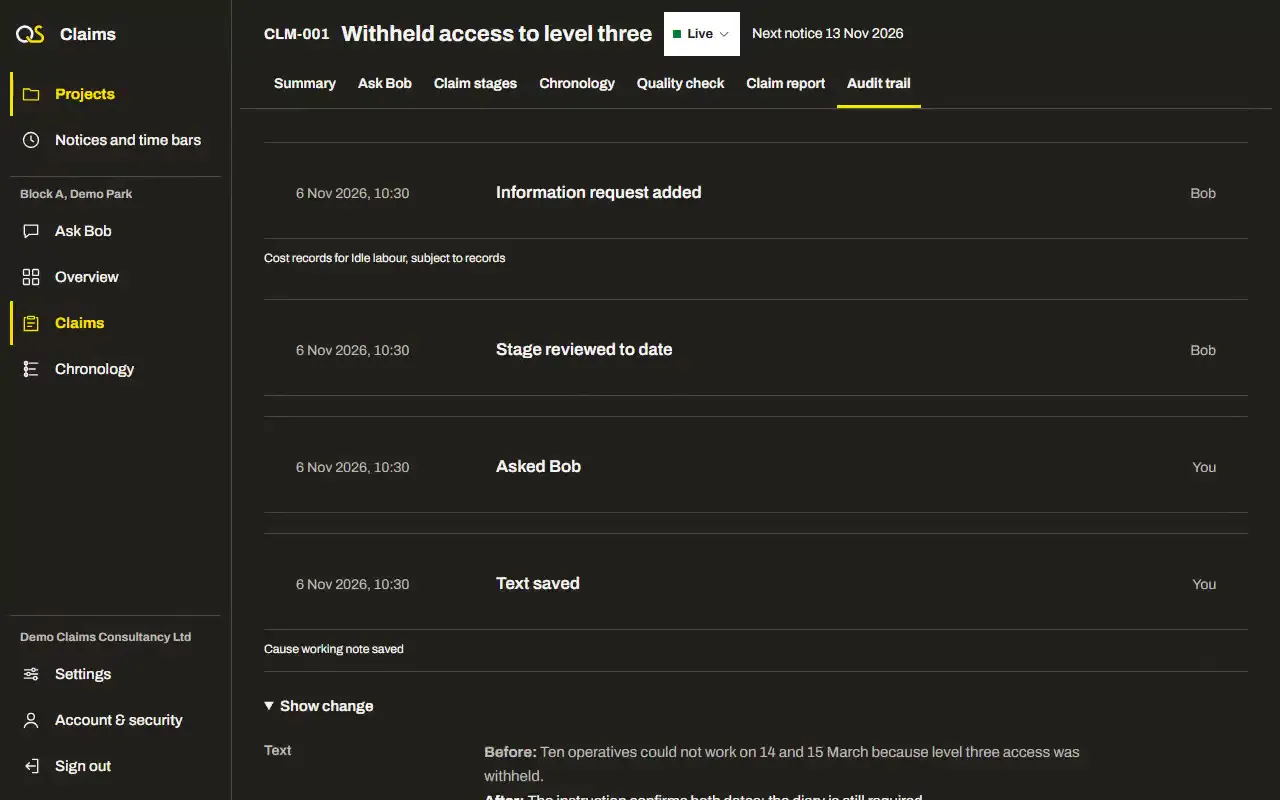
How access and records are controlled
For claims consultants and the clients whose claims they hold
Two-step sign-in
Production sign-in checks two-step verification and the account’s access status
Account access checks
Another customer account cannot open your projects through their routes or identifiers
One claim’s sources
Bob receives the open claim and eligible shared project records, excluding documents filed only to another claim
Private document access
Original downloads check the account and project. Claim exports also check the claim, and bundles verify the original bytes.
You send the claim
Recording issue does not send the report or serve a notice on another party
Changes recorded
Keep who changed a record and when, with before and after values for saved text and a downloadable audit
AI processing
Bob passes claim material to the configured AI service to read and review it
Export or delete a project
Download an archive of the records and originals before confirming permanent project deletion by name

Questions about security
Can Bob overwrite an uploaded document?
Does Bob mix different claims’ documents?
Can other customer accounts see my claims?
More features
Claim stages
Build each claim in order, from its context to the evidence that proves it
Claim context, cause, effect, entitlement, substantiation, records, information requests
Notices and time bars
Keep each notice period and time bar in view, with the clause it comes from
Notices, time bars, clauses, due dates, your confirmation
Chronology
Put confirmed events and their source records in order for each claim
Events, dates, sources, issues, confirmation, exports
Quality check
Review the evidence, gaps and calculations before the claim goes out
Clarity, causation, notice compliance, evidence, calculations, counterarguments
Claim report
Read, edit and export the claim report in the layout for its type of claim
ICCP layouts, extension of time, additional costs, variations, export
AI agent
Bob reads the claim’s records and helps identify missing evidence for you to review
Reading progress, checked quotations, gaps, information requests, review findings